 2023-12-01 11:13:20
 699
699
Open Huion driver.
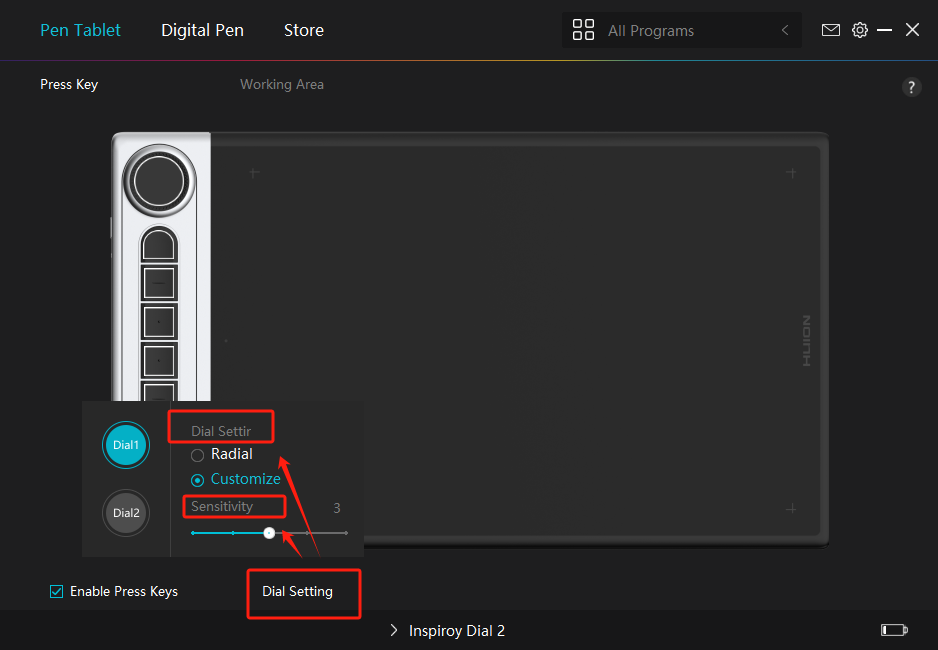
Click into Pen Tablet part.
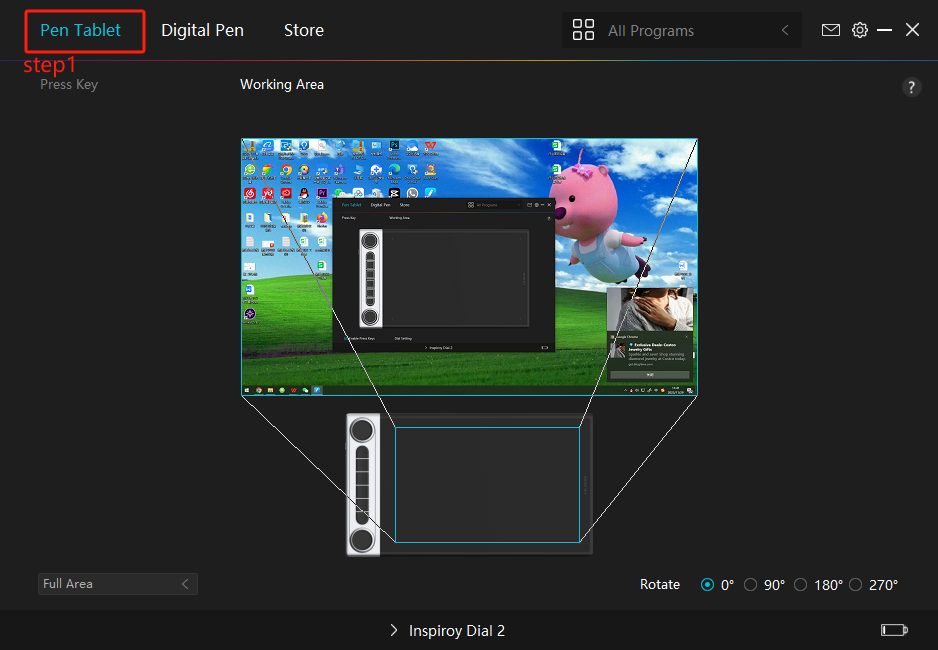
3.Choose "Press key" part
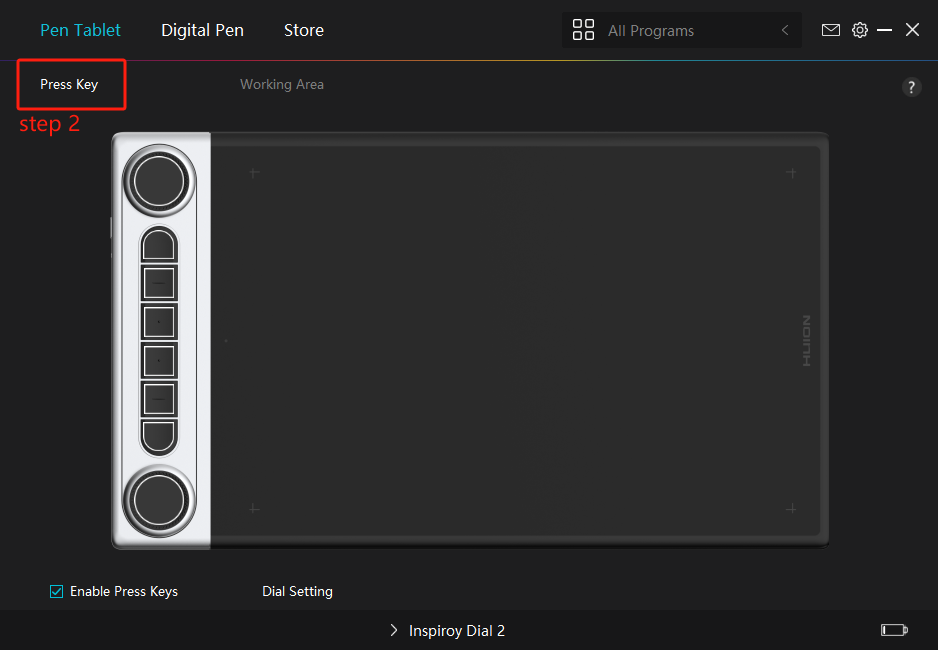
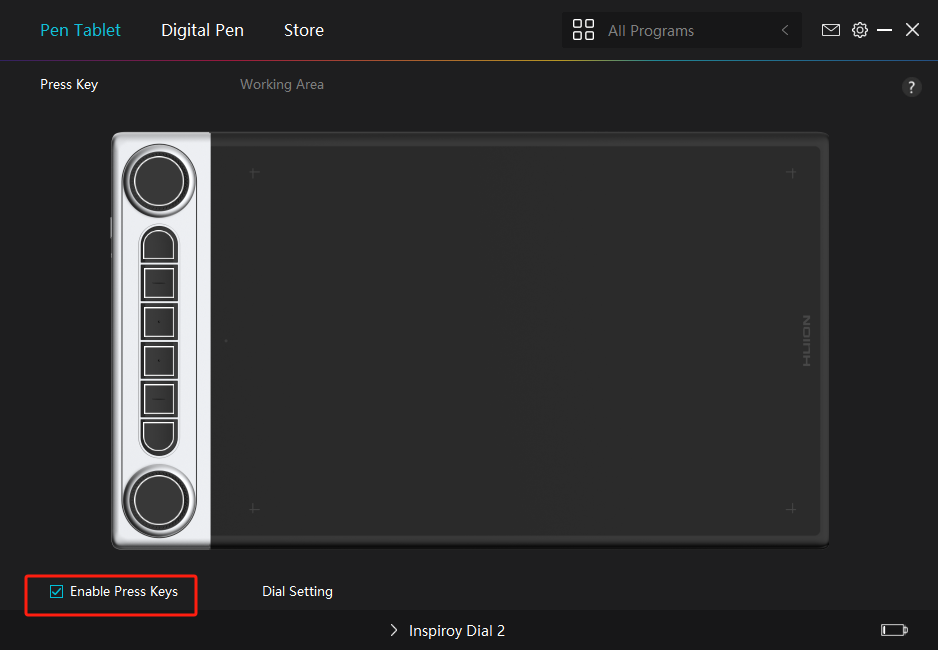
4.Come to this part,if you want to use the press keys,pleaese ensure that "the enable press keys" is chosen.
5.Next you can set the functions of press keys one by one as the images below:
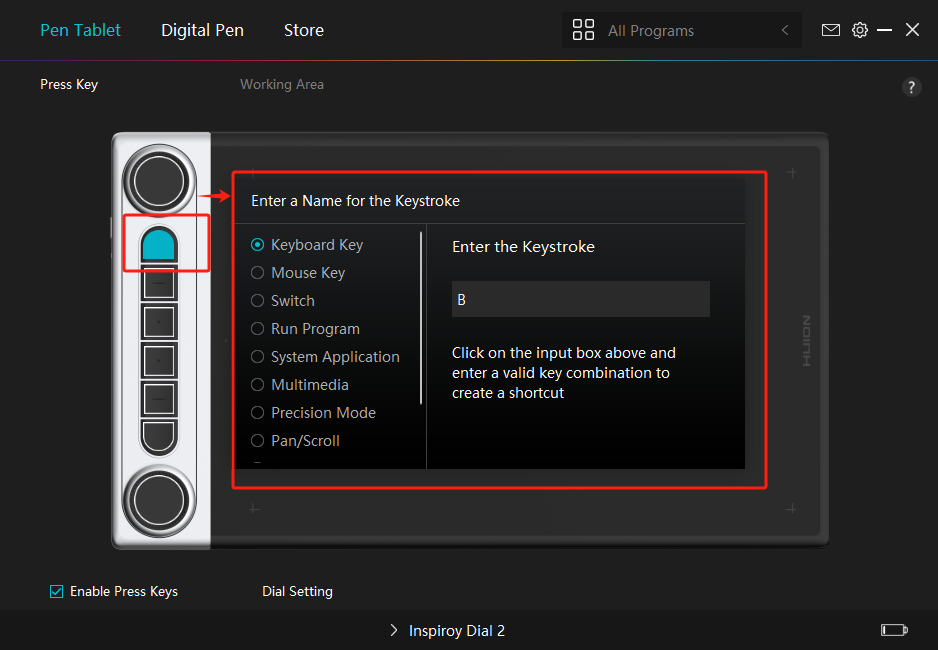
6.You can also set the functions of the dials(If your device are the models with dials)
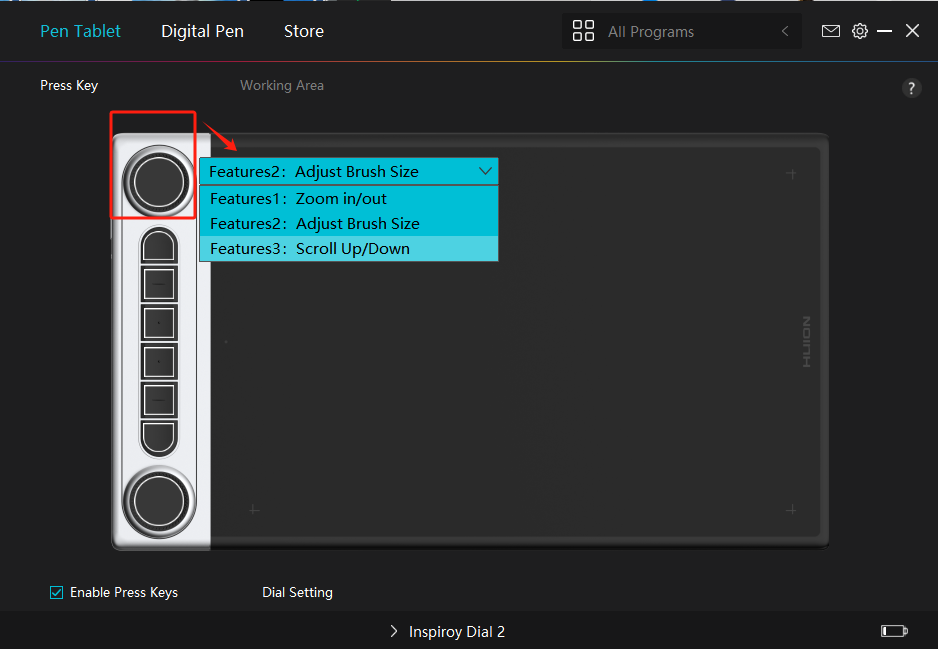
7.At this part,you can do more setting for dials(include the dial settir and sensitivity).