Kamvas Pro 24(4K)


ユーザーマニュアル

Product Connection
The display supports the connection of a computer and Android device, please refer to the following connection method.
Connect to the computer
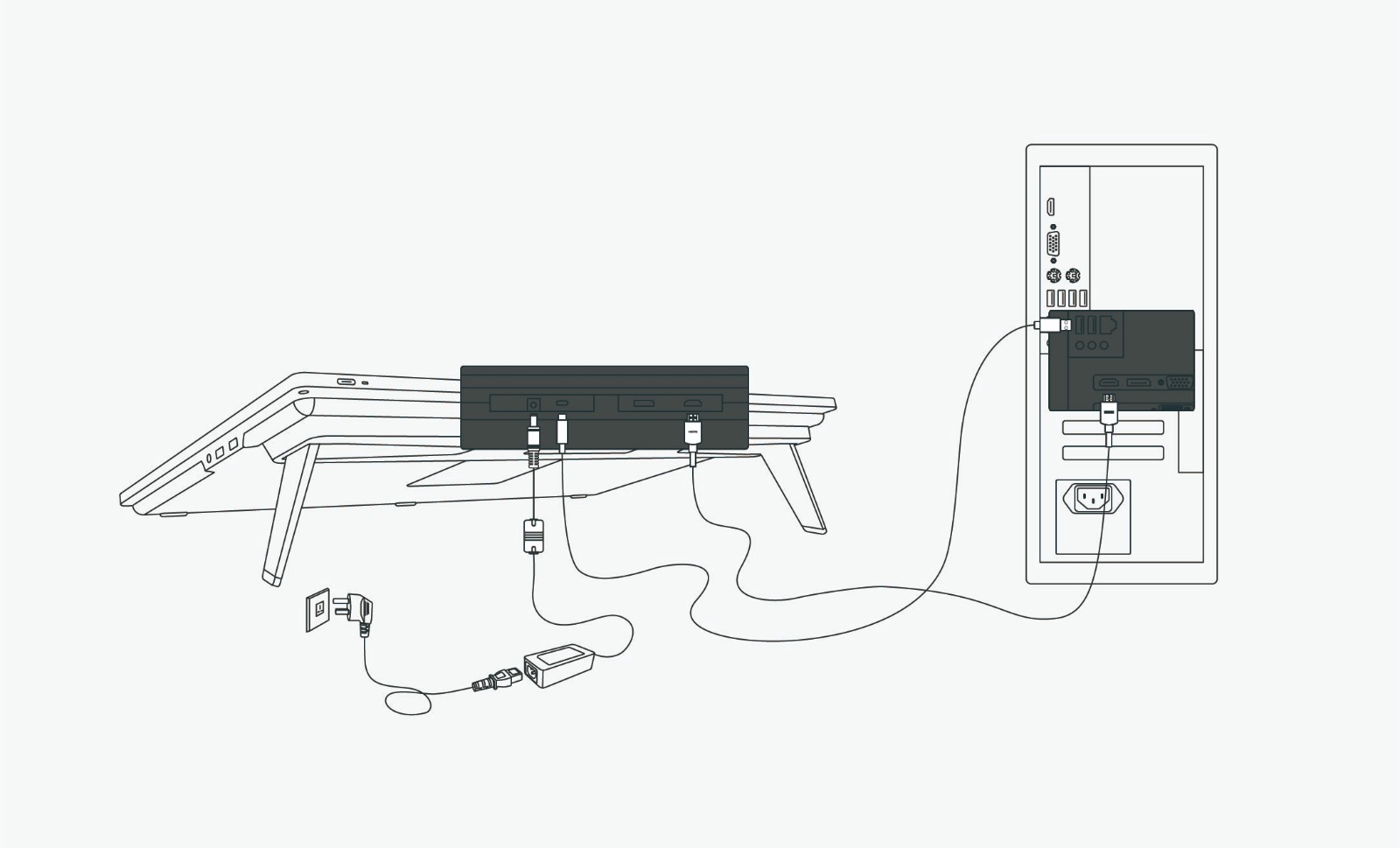
Connect the pen display to your computer with HDMI Cable and USB Cable. Please refer to the follower steps.
① Connect the display to your computer with HDMI cable;
② Connect the display to your computer with USB cable;
③ Connect the power adapter to the power cable.
USB-C to USB-C Cable
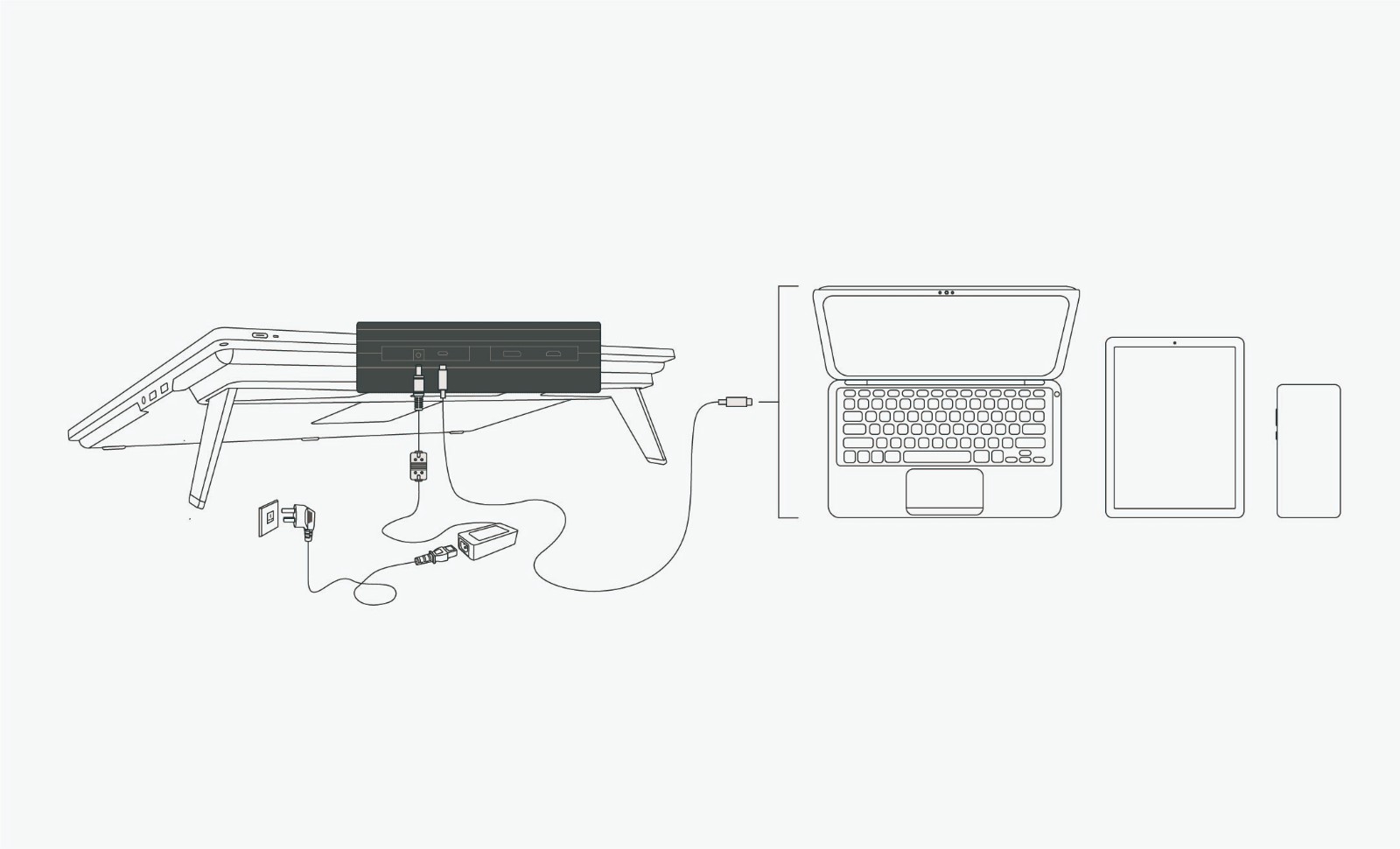
Connect the display to your computer or Android device with USB-C to USB-C cable.
① Connect the display to your computer or Android device with USB-C to USB-C cable.
② Connect the power adapter to the power cable.