Kamvas Studio 16

User Manual

Product Connection
The display supports the connection of a computer and Android device, please refer to the following connection method.
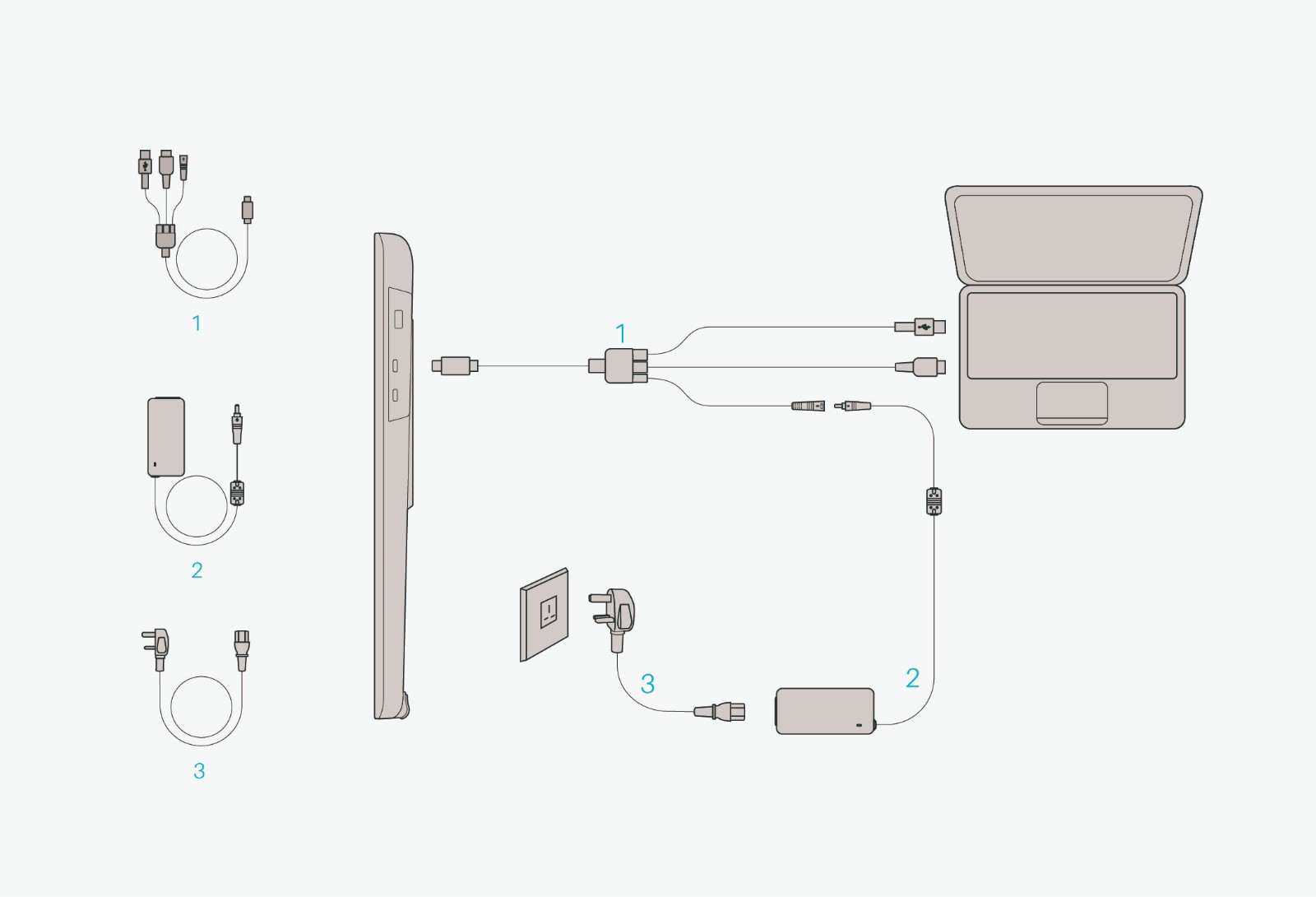
3-in-1 Type-C Cable
Connect the pen display to your computer with 3-in-1 Cable.
① Connect the display to your computer with 3-in-1 cable;
② Connect the power adapter to the power cable.
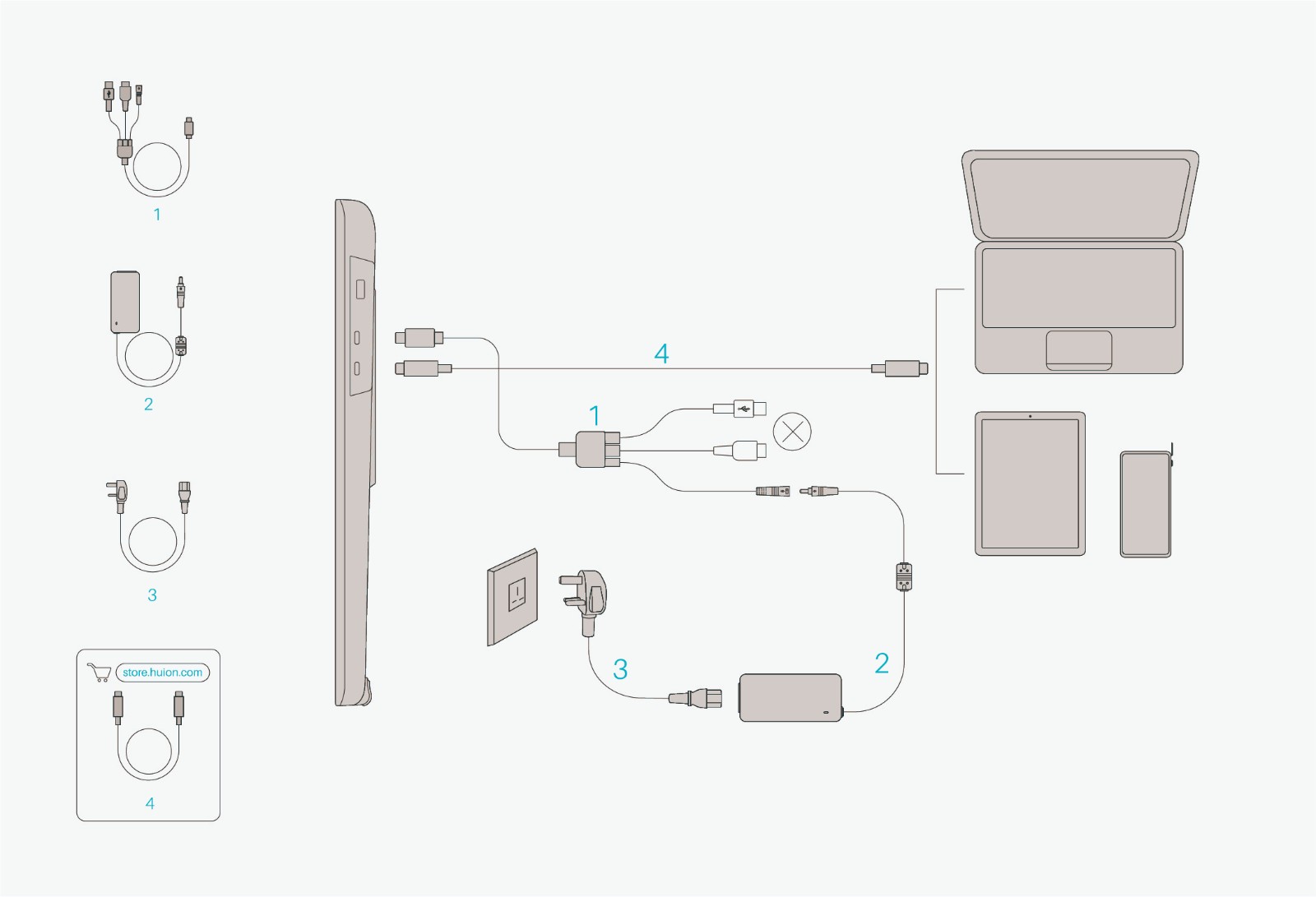
USB-C to USB-C Cable
Connect the display to your computer or Android device with USB-C to USB-C cable.
① Connect the display to your computer or Android device with USB-C to USB-C cable.
② Connect the power adapter to the power cable.