

- Introduction
- Interface
-
Works

-
Brush
- Color
-
Layer
-
Tools
-
Insert
-
Setting Menu
Selection tools enable you to select specific areas from the active layer for editing.
Create selection
There are four selection tools.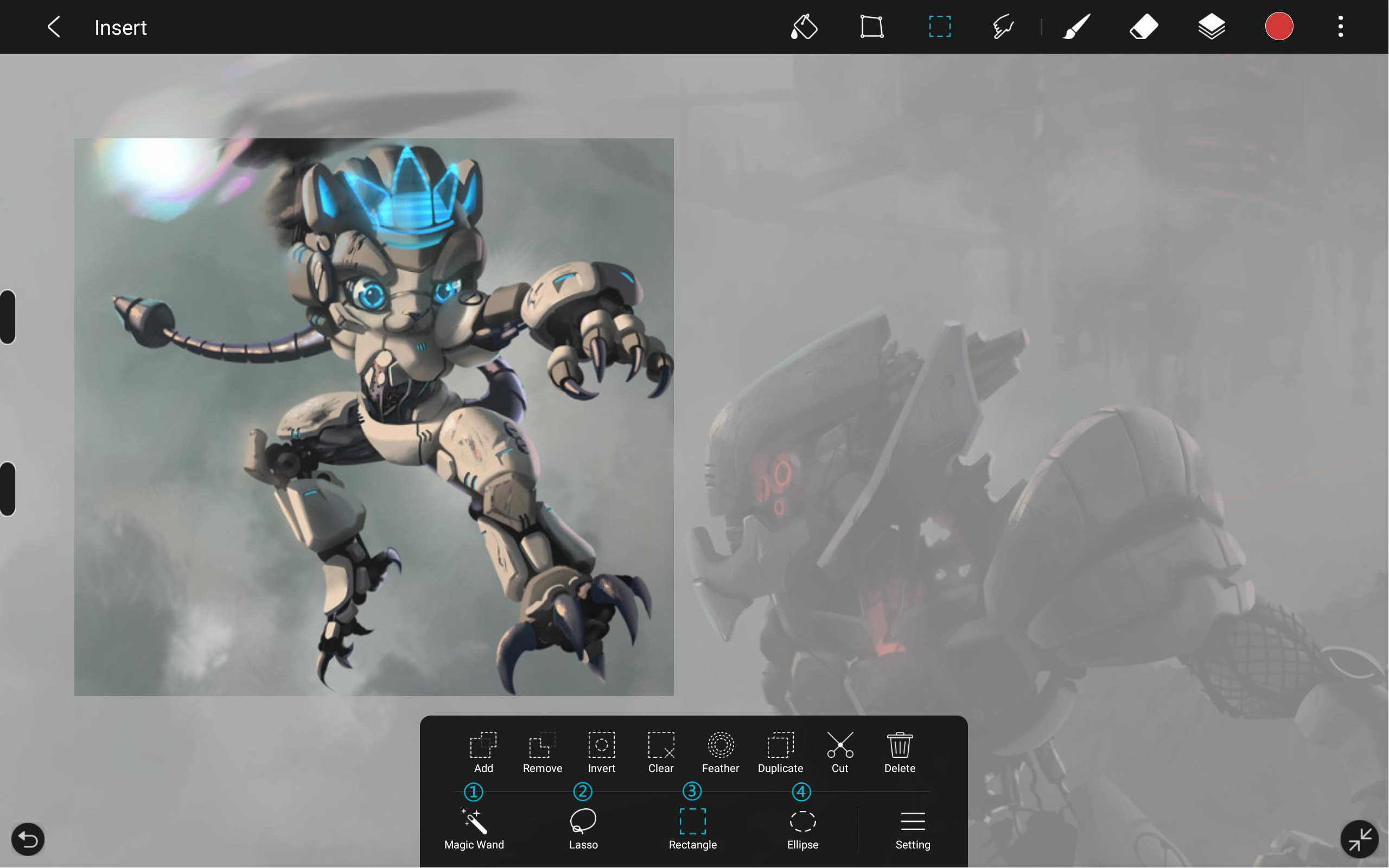
① Magic Wand
The magic wand tool can be used to quickly create a selection in a closed curve.
② Lasso
The lasso tool can be used to create a selection freely.
③ Rectangle selection
To select rectangular areas of the active layer.
④ Ellipse selection
To select circular and elliptical areas of the active layer.
Edit selection
Together with the following settings to create a more diverse selection.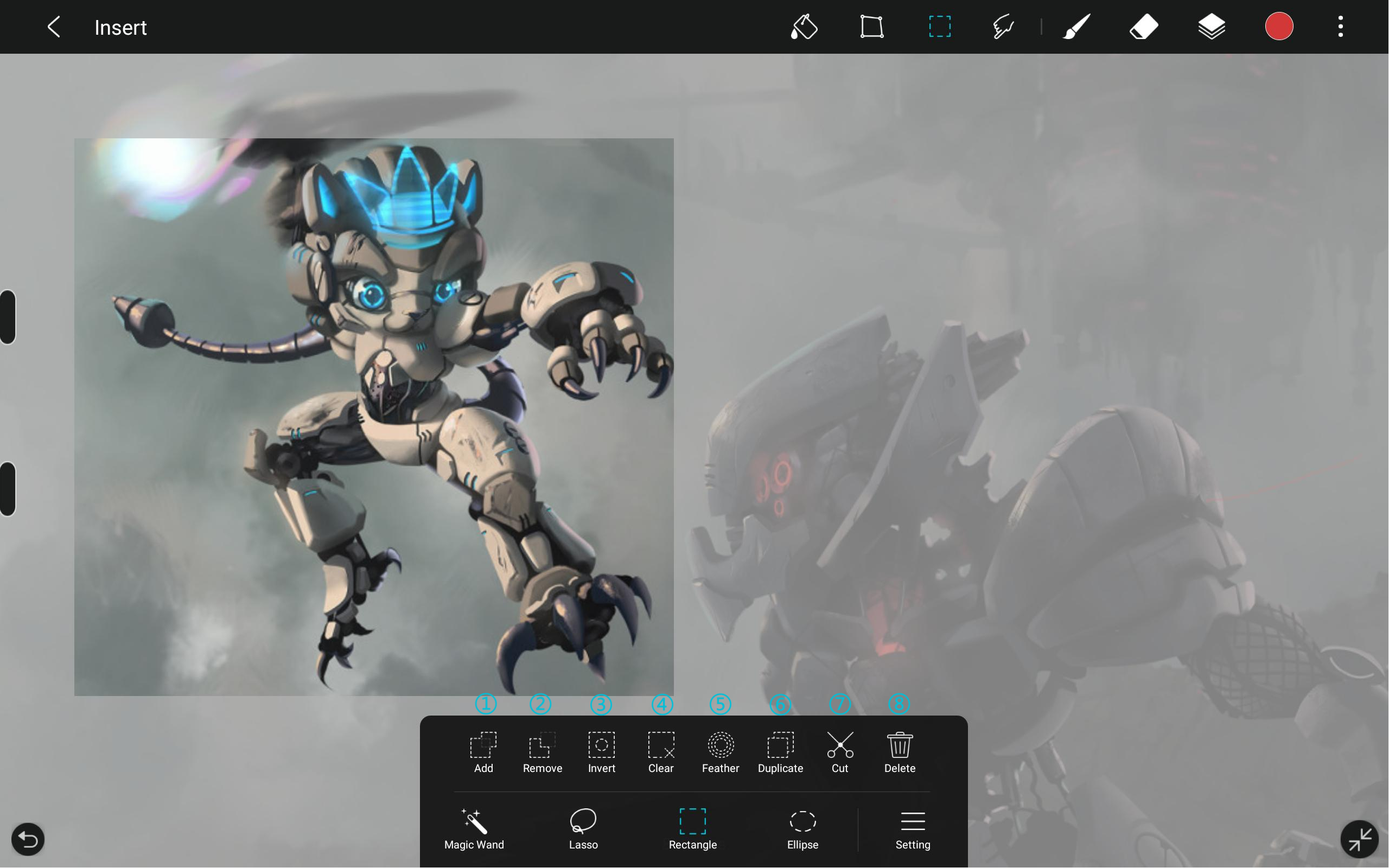
① Add
In add mode, you can create multiple selections continuously.
② Remove
In remove mode, you can subtract from a selection.
③ Invert
Change the unselected areas into selected areas.
④ Clear
Clear the contents of the created selection.
⑤ Feather
Copy the selected area to a new layer.
⑥ Duplicate
Copy the selected area to a new layer.
⑦ Cut
Change the unselected areas into selected areasCut the selected area to a new layer.
⑧ Delete
Delete the contents of selected areas.

